


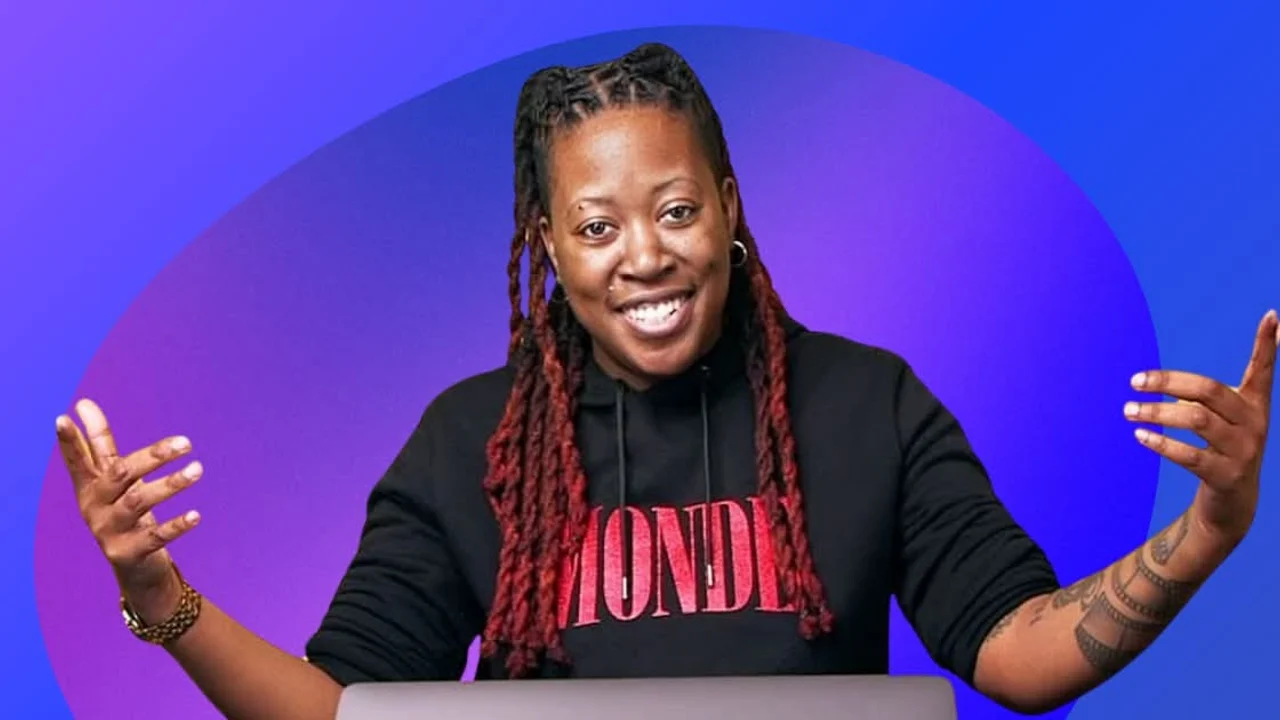


Who is TechMeOut?
- Tech content creator reviewing gear, apps, and productivity setups. The channel is equal parts tech reviews and creator workflow - showing the tools used to make content about tools.
- TechMeOut's approach is practical over flashy. Reviews focus on how gear actually performs after a month of daily use, not just unboxing hype. The TechMeOut tools listed below are the same ones showing up in videos - no separate 'for show' stack versus what's actually used.
- Running a YouTube channel while managing ADHD means the tech stack needs to support focus, not fight it. Time blocking with Tiimo, visual calendars in Fantastical, quick capture in Apple Notes - everything designed around maintaining consistency without relying on perfect executive function.
- The 10 apps below cover content planning, filming, editing, and all the business stuff (email, file storage, collaboration). Nothing here is sponsored - just tools that survived real-world testing.
Content Planning & Time Management
- Fantastical manages the content calendar. Upload days, filming blocks, review deadlines - all visible in calendar sets with different colors. Natural language input means 'film gear review next Tuesday 2pm' just works.
- Different calendar sets for different content types. Red for upload deadlines, blue for filming days, green for collaboration meetings. Quick glance shows if a week is too packed with filming versus editing time.
- Tiimo handles daily time blocking. Visual interface shows the day broken into chunks - 9am writing scripts, 11am filming B-roll, 2pm editing. Timers keep tasks from expanding to fill all available time.
- For ADHD brains, Tiimo's visual approach works better than text-based task lists. Seeing the day laid out spatially makes transitions between tasks easier. Less mental overhead deciding what to work on next.
- Apple Notes catches video ideas before they vanish. Quick capture on iPhone when inspiration hits. Folders organize by content series. No complicated tagging system - just folders and search.
- People ask why not Notion. Honestly? Apple Notes opens instantly and syncs everywhere. When you have a video idea at 11pm, you need capture that works in 3 seconds, not a database that requires thinking about where to file it.
Filming & Production Tools
- Blackmagic Camera turns iPhone into a serious video camera. Shoot LOG footage for better color grading flexibility. Manual controls over ISO, shutter speed, white balance. Frame rate options the stock camera app doesn't offer.
- The codec options matter for serious work. ProRes recording on iPhone 15 Pro gives you editing flexibility that standard H.264 doesn't. File sizes are massive, but that's what Google Drive is for.
- Free app from Blackmagic beats paid alternatives like Filmic Pro for most use cases. Not as many features, but the core video quality and manual controls are there.
- Frame.io streamlines video reviews. Collaborators leave timestamped comments directly on video. 'That transition at 1:23 feels abrupt' beats trying to describe edits over email or Slack.
- The version control saves your ass when clients change their mind. Every revision tracked. Can always go back to previous version if needed. Worth it just for that feature alone.

Capture cinematic footage with precision using Blackmagic Camera's advanced features.
Video Editing & Post-Production
- DaVinci Resolve handles all video editing and color grading. Free version has everything needed for YouTube - no watermarks, no export limits, full feature set.
- Color grading tools are industry-standard. When you shoot LOG footage with Blackmagic Camera, Resolve's color page makes grading actually enjoyable. Way more powerful than Premiere Pro's Lumetri.
- Fairlight audio editor is built right in. No round-tripping to Audition or separate audio app. Voice cleanup, music mixing, sound effects - all in one timeline.
- Render speeds beat Premiere and Final Cut on similar hardware. A 10-minute 4K video exports in maybe 15 minutes on M1 Mac. That's with color grading, multiple tracks, and effects applied.
- Adobe Lightroom edits thumbnail photos and product shots. Preset workflows make batch editing fast. Create a look for one photo, sync to 20 product shots, done in 5 minutes.
- Cloud sync between iPad and desktop is clutch. Edit rough selects on iPad while traveling, fine-tune on desktop later. Mobile editing keeps social media content consistent without being chained to the desk.
Business Operations & Communication
- Superhuman manages email with keyboard shortcuts and triage workflows. Inbox zero daily. Every email gets processed - respond, archive, snooze, or reminder.
- Scheduled sends optimize open rates. Write PR responses at midnight, schedule them to send at 9am when people actually check email. Read receipts show which brand pitches got opened versus ignored.
- Yeah, it's $30/month. But clearing email in 15 minutes daily instead of 2 hours weekly is worth it. The time saved pays for itself.
- Claude speeds up scripting and writing. Feed it a video topic and rough outline, get back a structured script framework to edit. Not final-draft quality, but way better than blank page.
- Also useful for summarizing long tech spec sheets. Copy specs from manufacturer site, ask Claude to highlight key differences from competing products. Saves hours of manual comparison.
- Google Drive stores everything - raw footage, project files, final exports. Shared folders for collaboration. Version history means you can't accidentally lose work. Mobile app previews files anywhere.
- The TechMeOut tech stack works because every tool handles one job well. No all-in-one platform trying to be everything. Just focused apps working together smoothly.

Frequently Asked Questions About TechMeOut's Stack
What video editing software does TechMeOut use?
DaVinci Resolve handles all editing and color grading. Free version has everything needed for YouTube with no watermarks or export limits. Color grading tools beat Premiere Pro, and render speeds are faster on similar hardware.
What camera app does TechMeOut use for iPhone filming?
Blackmagic Camera app for manual controls and LOG footage. Shoots ProRes on iPhone 15 Pro for better editing flexibility. Free app that beats paid alternatives like Filmic Pro for serious video work.
How does TechMeOut manage content scheduling?
Fantastical for the big picture calendar - uploads, filming days, deadlines. Tiimo for daily time blocking with visual schedules and timers. Apple Notes for quick video idea capture. Three simple tools instead of one complicated system.
What productivity tools does TechMeOut recommend for ADHD?
Tiimo for visual time blocking, Fantastical for color-coded calendars, Apple Notes for instant capture. Focus on visual interfaces and quick capture over complicated systems. Tools need to support executive function, not require perfect executive function to use.
Does TechMeOut use AI tools?
Claude for script outlines and tech spec summaries. Feed it topic and rough structure, get back a framework to edit. Also useful for comparing product specs - saves hours of manual comparison work. Treats it like a research assistant, not a writer.
What makes TechMeOut's tech stack effective for creators?
Every tool does one job well. Fantastical for calendar, Resolve for editing, Superhuman for email, Drive for storage. No all-in-one platform trying to handle everything. Plus automation where possible - scheduled emails, preset workflows, batch processing. Spend energy on creative work, not tool maintenance.